
- An ATS parses, stores and ranks your resume before a human sees it.
- Win it with clean single-column formatting and real keywords from the job post.
- Ignore the myths — no white-text hacks, no guaranteed "scores."
At many employers, software reads your resume before a recruiter does. An Applicant Tracking System (ATS) parses, sorts, and ranks applications — and if yours confuses it, a human may never see you. An ATS-friendly resume is a plain, single-column document that a parser can read cleanly and that describes your real experience using the same skill names the job posting uses. The good news: passing it is mostly about clarity, not tricks.
What an ATS actually does
An ATS is a database, not a gatekeeper with an opinion. It parses your resume into fields (name, work history, skills), stores it, and lets recruiters search and filter by keyword. It doesn't "reject" you on taste — but if it can't read your file cleanly, or you're missing the terms recruiters search for, you effectively disappear.
So "ATS-friendly" really means two things: machine-readable formatting and relevant keywords.
Formatting rules that keep you readable
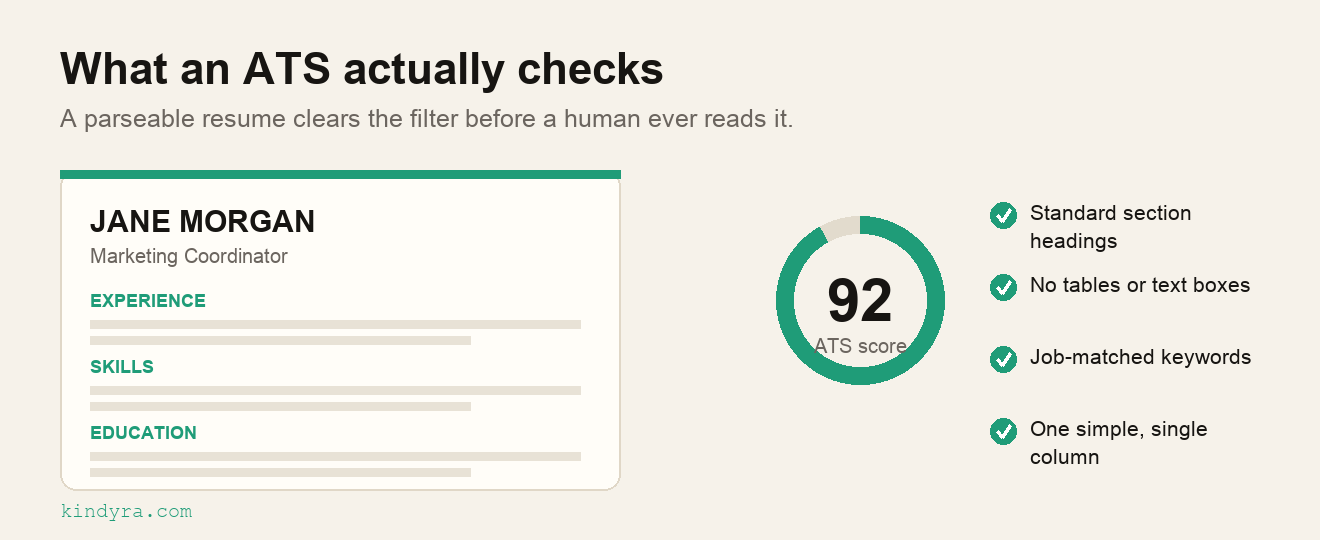
- Use a standard, single-column layout. Fancy multi-column and text-in-graphics designs often parse into gibberish.
- Real text, not images. Never put your name, contact info, or skills inside a picture.
- Standard section headings — "Experience," "Education," "Skills." Clever labels confuse parsers.
- Common fonts and simple bullets. Skip tables, text boxes, headers/footers for key info.
- Export as PDF (unless the posting asks for .docx) with selectable text.
- Name the file properly. "Firstname-Lastname-Resume.pdf" — a file called "resume_final_v3.pdf" tells nobody whose it is. Keep the same name for every application so it is easy to find again.
Keywords: mirror the job description
Recruiters search the ATS using terms from the job they're filling. So your resume should echo the actual language of the posting — if it says "project management," don't only write "ran projects." Use the real skill names and tools listed, where they're genuinely true for you.
This is not keyword-stuffing. Stuffing hidden or irrelevant keywords is easy for modern systems (and recruiters) to spot. The goal is honest alignment: describe your real experience in the words the employer is searching for.
Illustrative example: from a job-posting line to a resume bullet
Say the posting includes this line: "Own the weekly content calendar across Instagram and LinkedIn and report engagement to the marketing lead." Here is the same true experience written three ways.
| Version | Resume bullet | Why it works or fails |
|---|---|---|
| Vague | Handled social media for a small shop. | None of the posting's words appear. A recruiter searching for "content calendar" never finds it. |
| Stuffed | Content calendar, Instagram, LinkedIn, engagement, marketing, social media strategy, analytics, growth. | A pile of nouns with no evidence. Easy to spot, and it tells a human nothing about what you did. |
| ATS-friendly | Planned and ran the weekly content calendar for Instagram and LinkedIn at a family-run shop, and reported engagement to the owner every Friday — sample calendar and report in portfolio. | Uses the posting's own terms — "content calendar", "Instagram", "LinkedIn", "engagement" — because they are true, and points to proof. |
The rule behind it: take the nouns from the posting — the skills, tools and deliverables — and use them wherever they honestly describe what you did. Don't borrow the verbs or the seniority. If you never "owned" a calendar, say what you did do. If the posting's skill is one you are still building, put the work you have made under a Projects heading rather than under Experience. And if your bullets are honest and matched but interviews still don't come, the problem is usually elsewhere on the page — our guide on how to improve your resume walks through the rest.
Myths worth dropping
- "White-text keyword hacking works." It doesn't — it gets flagged and looks dishonest.
- "A specific ATS score guarantees an interview." Scores are directional guidance, not a promise.
- "ATS auto-rejects most resumes." Typically it ranks and filters; clarity and relevance are what move you up.
The simplest way to get it right
You don't need to memorize every rule. An AI resume builder that outputs clean, single-column, ATS-friendly formatting and helps you match the job description does the heavy lifting — so you can focus on telling the truth well. You can also run a draft through the Kindyra Resume ATS resume checker, and if the real problem is fewer interviews than you expected, start with our guide on how to improve your resume.
We re-read this guide, its example and its links on the date above. It deliberately sticks to fundamentals — machine-readable formatting and honest keyword matching — rather than tricks tied to one system's quirks. When our advice or the tools we link to change, we update this page and the date.
Frequently asked questions
Do ATS systems really reject resumes automatically?
They mostly parse, store, and rank — then recruiters filter by keyword. A resume can be missed if it's unreadable or lacks relevant terms, so aim to be readable and relevant rather than trying to beat a filter.
PDF or Word for an ATS?
PDF with selectable text is accepted by many modern systems and preserves your layout. Follow the job posting's instructions, and use .docx if it asks for one.
What's the biggest ATS mistake to avoid?
One of the most common is complex formatting — multi-column layouts, text inside images, or key details in headers/footers — that parses incorrectly. Keep it clean and single-column.